
INSUL - Activate license
2. To activate the license, please:
- Start INSUL
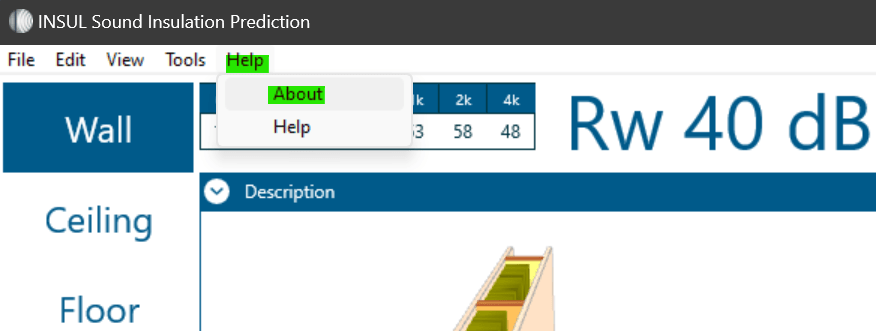
- Go to the “Help” menu, then to “About”
- In the window that opens: please activate the checkbox "Check for subscription licence" in the "Subscription" tab (under "Licencing").
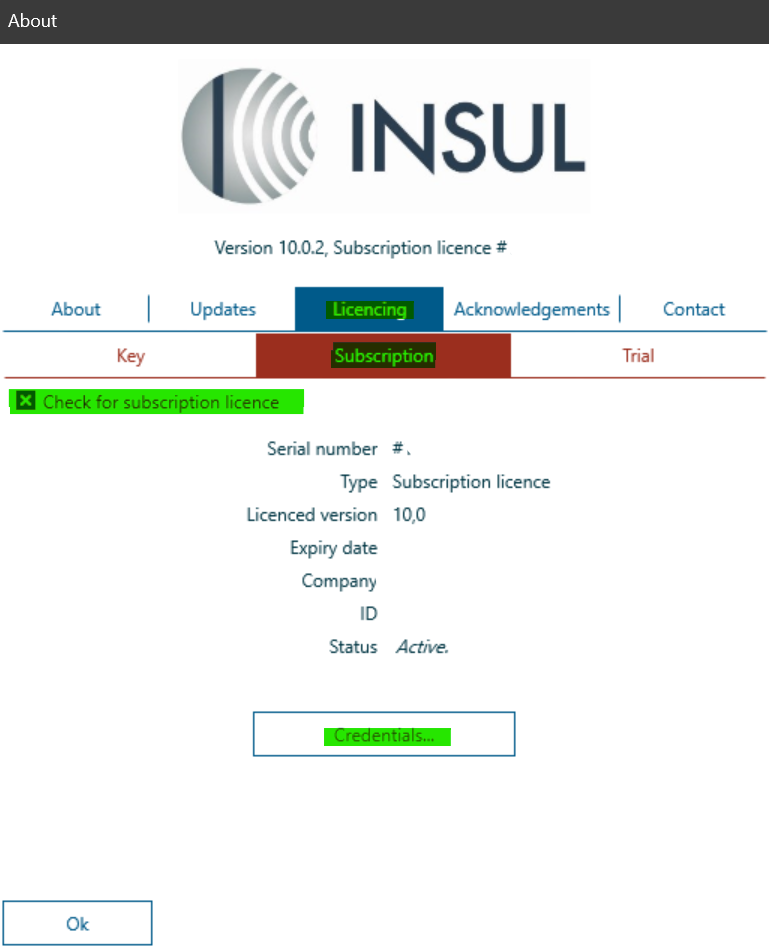
- Please click on "Credentials…" and enter your licence data.
